


Teaching virtually has its own rhythm.
Some parts flow beautifully. Others? They can feel like a clunky workaround—especially when it comes to hands-on learning.
If you’ve ever scrolled past a printable music game thinking, “Too bad I can’t use that in online lessons,”—this one’s for you.
Because here’s the truth:
You can absolutely use printable games in virtual lessons.
And when you do? You bring the same level of excitement, engagement, and creativity to your virtual students that your in-person students already love.
Let’s walk through how.
Why Use Printable Games in Online Lessons?
Simple: they work.
Music theory can easily become stale if it’s only taught through worksheets or lecture. Games turn theory into movement. Into strategy. Into laughter. Into ownership.
And printable games aren’t just for in-person students. With a few small tweaks, you can bring that same magic to your virtual studio—no complicated software or advanced tech setups required.
What You’ll Need
Nothing fancy. Just:
- Your printed game (from Music Game Club, of course 😉)
- A device with a webcam
- A simple tripod or stand
- A surface like a table or desk
That’s it.
This setup works whether you’re in a full home studio or teaching from a corner of your dining room. If you already teach online, you likely have everything you need.
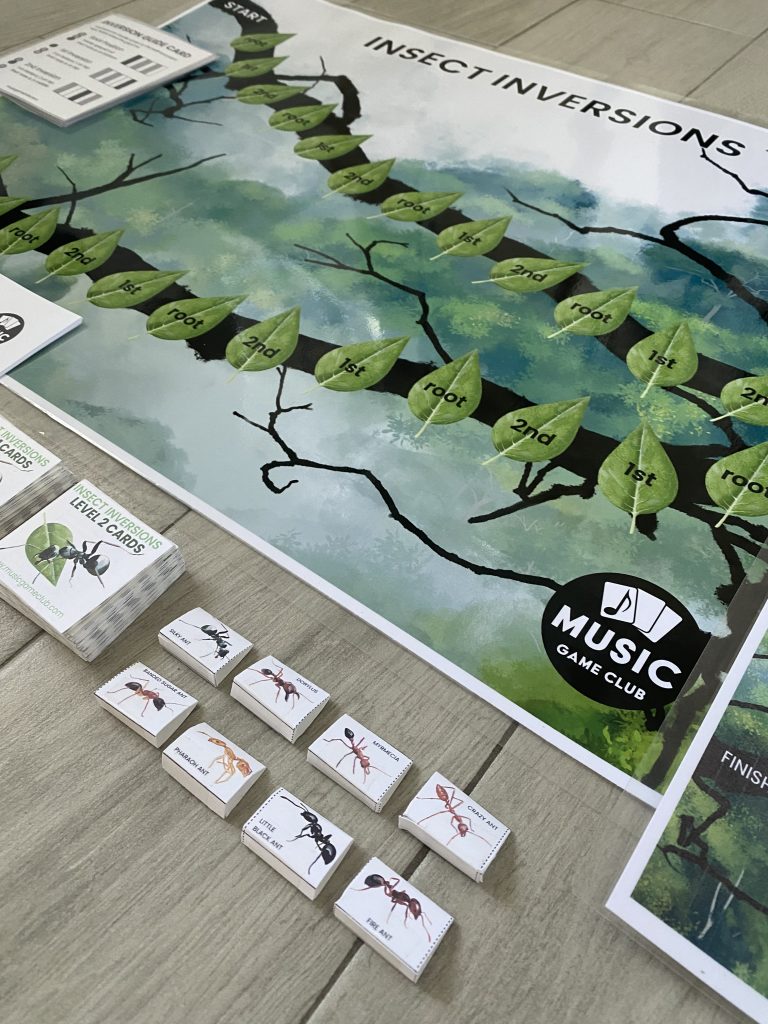
Option 1: You Host the Game
This is the go-to method—and once you try it, you’ll see just how easy and effective it is.
Here’s how it works:
- Set up your game like you normally would on a table.
- Adjust your camera to give your student a clear overhead view.
- You draw the cards. Hold them up to the camera so your student can see.
- The student gives you their answer. You move the game pieces for them.
If it’s a game with directions or a game board, you can narrate and follow their guidance:
“Move one space left… then two down.”
“Add this to the top snowman.”
“Let’s clap it together—ready?”
They’re in the game, even if they’re across the country.
And if you’re keeping score or tracking progress visually, keep that part in the camera view too so they stay connected to their progress.
Pro Tip: If the game has a visual or physical result (like building a snowman or stacking rhythms), zoom in at the end so they can admire their handiwork and celebrate the win.
Option 2: The Student Hosts the Game
Some teachers prefer to have the student print and host the game on their end—especially for students who like more hands-on interaction.
In this case:
- You send the student the game file in advance (make sure your license allows it).
- The student prints and sets up the game at home.
- You walk through gameplay together via Zoom or your video platform of choice.
This setup works great for review sessions or light lesson days—and has the added bonus of giving students a game they can keep playing after the lesson ends.
Imagine your student playing a rhythm game with their sibling after dinner. That’s bonus practice without feeling like practice. 🙌

Option 3: Game Board Meets Whiteboard (No Table Needed)
Maybe you don’t have table space. Maybe you just want something more vertical.
Here’s another idea:
- Attach game pieces to a whiteboard or wall using magnets or velcro dots.
- Use magnetic pouches to store the cards.
- Set up your webcam or phone to capture the board.
It’s low-tech, visual, and easy to manipulate—and can add a fun change of pace to your lesson visuals.
This method is especially helpful for teachers who want to stand or move during lessons, or who want something that doesn’t need to be cleared off after every class.
Bonus Tips for Smooth Virtual Game Days
- Do a quick tech check before your student logs on. Make sure your camera angle is clear and everything is in place.
- Narrate generously. Talk through what you’re doing, what the student sees, and what choices they have. It helps them stay engaged and oriented.
- Let them own the decisions. Even if you’re moving the pieces, let the student guide the gameplay. That sense of agency keeps it fun and meaningful.
- Celebrate the win. Don’t forget to pause and cheer when a game ends. Virtual or not, students feel the joy when you reflect it back to them.
Why It’s Worth the Effort

The first time you adapt a printable game for online lessons, it might feel like extra work. But once you get your system down? It becomes second nature.
More importantly—your students feel it.
They feel the difference between a passive lesson and one that moves. One that surprises them. One that lets them play and learn at the same time.
Virtual students deserve that same level of engagement. And with Music Game Club’s printable games, you can deliver it—every time.
So don’t write off printable games just because you’re teaching online.
Pull out that tripod. Fire up your webcam.
And let the game begin.
Want a fun one to try first?
Stacking Snowmen and Listening Lemurs are both easy to adapt and full of interaction.
More coming your way soon! 🎶